 Image 1 of 2
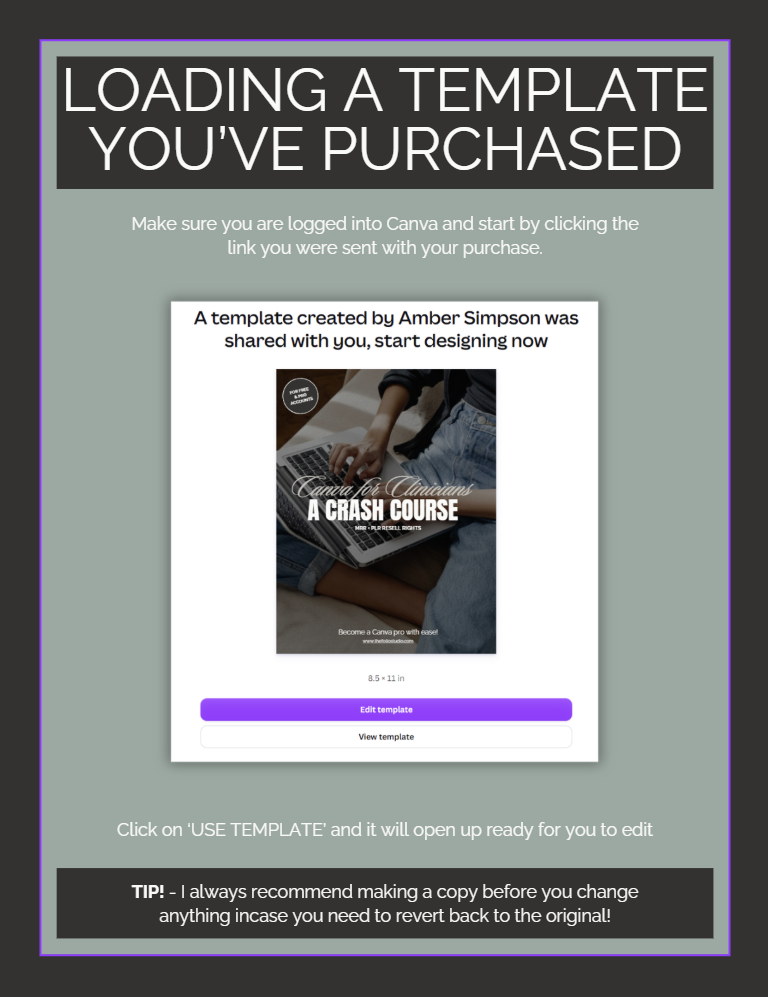 Image 2 of 2
Everything you need to learn to design the business side of your practice.
Canva is already one of the most powerful tools available to clinicians in private practice and most people are only using about 10% of it. From intake forms and psychoeducation handouts to social media content and digital products, this crash course walks you through the tools that actually move the needle in your practice.
This isn't a generic design tutorial repackaged for healthcare. Every example, every use case, and every hack was built with clinicians in mind. You'll finish this course knowing exactly how to use Canva to market your practice, create client-facing materials, and even build products you can sell, all without touching a single line of code or hiring a designer.
-
Chapter 1: Getting Started with Canva
Chapter 2: Your Workspace
Chapter 3: Your Toolset
Chapter 4: Font Pairings, Hyperlinks & Brand Kit
Chapter 5: Canva Magic Studio
Chapter 6: Saving & Sharing Your Projects
Chapter 7: Apps & Other Canva Features
Chapter 8: How to Create Digital Products
Chapter 9: How to Edit This Guide to Resell
Chapter 10: PLR + MRR Resell Rights License
-
Magic Expand + Magic Edit
Text behind images
Creating faceless reels
IG feed planning in Canva
Hidden Canva fonts
Creating editable PDFs
3D text effects + carousel studio
Promoting your products with Canva mockups
Gradient tools + screen recording
...and 12 more
-
Nope. This crash course is designed for both Free and Pro accounts. A few features like Magic Resize and Brand Kit are Pro-only, but the vast majority works on the free plan.
-
Yes. This course comes with full MRR (Master Resell Rights) and PLR (Private Label Rights). That means you can rebrand it with your own logo, colors, and name and sell it as your own product keeping 100% of what you charge. Chapter 9 walks you through exactly how to do it step by step.
What’s included:
Your may be wondering, do I need to be techy to use this?
Short answer: no. If you can open a browser and click a mouse, you can use Canva. This course starts from the very beginning and builds from there, so no design experience, no tech background, no problem.
Notable features:
- Over 1.5 hours of video tutorials — step-by-step instruction you can pause, rewind, and revisit anytime
- 10 chapters built for clinicians — real examples using intake forms, psychoeducation handouts, social graphics, and practice marketing content
- 21 bonus Canva hacks — a separate guide covering faceless reels, IG feed planning, hidden fonts, editable PDFs, 3D text effects, and more
- Works with Free and Pro Canva accounts — no paid subscription required to get started
- How to create digital products in Canva — planners, e-books, flashcards, and guides you can use in your practice or sell
- Full MRR + PLR resell rights included — rebrand it, put your name on it, sell it as your own and keep 100% of what you make
- Instant access — opens directly in your Canva account, no separate platform or app required
Still have questions?
-
Canva is a free, browser-based design tool used by millions of small business owners, entrepreneurs, and healthcare providers. It's drag-and-drop, beginner-friendly, and has a free version that covers most of what you'll ever need. No downloads, no design degree required.
-
Nope. This crash course is built for both Free and Pro Canva accounts. A few features covered like Magic Resize and Brand Kit are Pro-only, but the vast majority works on the free plan. Chapter 1 walks you through choosing the right plan for where you are right now.
-
Once your purchase is complete, you'll receive a PDF download. Inside the PDF you'll find your link to access the full course directly in Canva. Click the link, open it in your Canva account, and you're in.
-
Absolutely. Chapter 1 starts from scratch: creating your account, choosing your plan, and navigating the home screen. You don't need any prior design experience. If you've been avoiding Canva because it feels overwhelming, this is exactly where to start.
-
MRR stands for Master Resell Rights and PLR stands for Private Label Rights. Together they mean you can rebrand this guide with your own logo, colors, and name and sell it as your own product, keeping 100% of what you charge. Chapter 9 walks you through exactly how to do it step by step.
-
This course is built for the business and marketing side of your practice, think social media graphics, psychoeducation handouts, digital products, and practice branding. Chapter 8 covers how to create digital products in Canva, including planners, flashcards, and guides you can use in session or share with clients.
-
Due to the digital nature of this product all sales are final. No refunds are offered after purchase. If you have questions about whether this workspace is right for your practice please reach out before purchasing at support@thefoliostudio.com.
-
Reach out at support@thefoliostudio.com and I will get back to you within 2–3 business days.
Not ready yet? Start here for free.
I know investing in a new tool is a big decision. Before you commit explore the free resources: quick-start guides, cheat sheets, and tools designed to help you organize your practice without spending a dime.
Want to learn more before you dive in? The blog is packed with practical guides on running your private practice using Canva, Google Workspace, Notion and Squarespace written specifically for therapists in private practice.