 Image 1 of 1
Everything you need to build a Squarespace site that works for your practice.
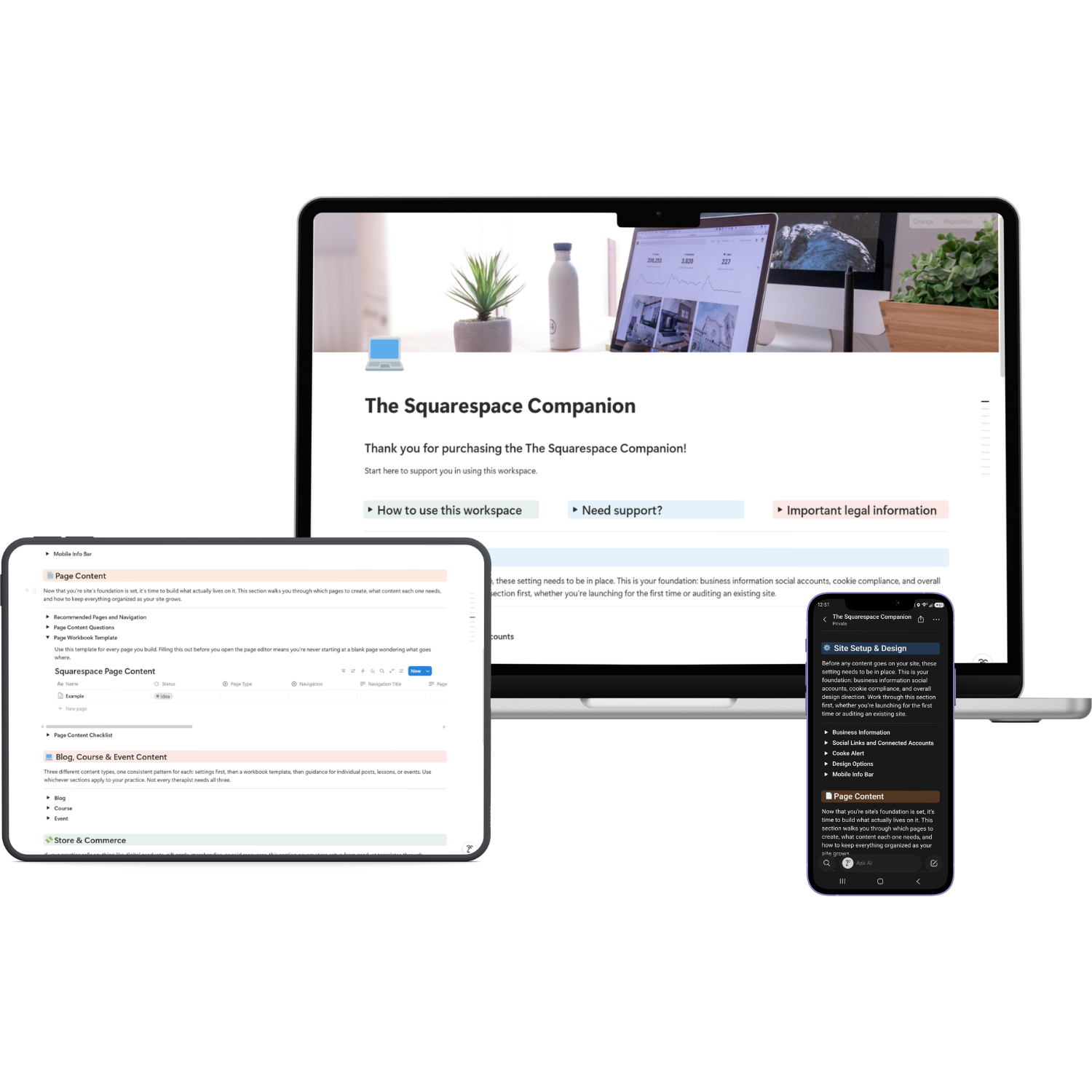
The Squarespace Companion isn't just a checklist. It's a complete reference workbook built specifically for therapists building or rebuilding their practice website on Squarespace 7.1. Whether you're launching your very first site or untangling years of settings you never quite understood, this workbook walks you through the setup in the order you'll actually need it: site foundation first, then content, then commerce, then marketing, then launch.
Every section has been built with real settings, real navigation paths, and real CSS code, not vague advice to "check your settings." You are not getting a list of things to Google. You're getting a workbook that tells you exactly where to click and exactly what to paste.
-
6 Fully Built Sections 6 sections following the actual order you'd set up a Squarespace site:
Site Setup + Design
Page Content
Blog, Course & Event Content
Store & Commerce
Marketing
Final Launch Checklist
-
Business information, social links, connected accounts, and a brand-matched cookie banner plus a design checklist so every page you build inherits the right fonts, colors, and button styles from the start.
-
A dedicated database for planning every page on your site: navigation, SEO, page purpose, and a filled-out example so you're never staring at a blank page wondering what goes where.
-
The same proven pattern for each content type: settings first, then a workbook template, then a written example showing exactly how to draft content in Notion and move it into Squarespace.
-
Templates for physical products, digital products, services, and gift cards, plus verified CSS for your cart and checkout and a clear, jargon-free walkthrough of shipping options for therapists who've never shipped a product before.
-
very CSS snippet in this workbook is placed inside the toggle it belongs to and tested against real Squarespace 7.1 selectors
-
A category-by-category checklist covering site setup, page content, blog/course/event content, store and commerce, marketing, legal, and technical settings before you flip your site live.
What’s included:
Your may be wondering, do I need to know how to code to use this?
Not at all. The Squarespace Companion is built for therapists, not developers. Every CSS snippet comes with exact copy-paste instructions and the exact location to paste it: Page → Custom Code → Custom CSS. You just open the toggle, copy the code, swap in your brand colors, and paste. The thinking is done. You just show up and customize.
If you've never touched Squarespace before, not a problem. This workbook assumes no prior experience and walks you through where every setting lives, step by step, in the order you'll actually need it.
Notable features:
- Built for Squarespace 7.1 — every navigation path and CSS snippet is written for the current version of Squarespace, not an outdated template
- Setup-order structure — sections follow the order you'd actually build a site: foundation first, then content, then commerce, then marketing, then launch
- Real CSS, not guesses — every snippet is verified against real Squarespace selectors so you're not pasting broken code into your live site
- Workbook templates included — dedicated planning templates for pages, blog posts, course lessons, events, and all four product types
- Brand-matched examples — every example uses real placeholder content so you can see exactly how to fill in your own
- Canva-brandable — cookie banners, buttons, and design elements are written to use your own brand colors and fonts
- Works alongside your other tools — built to complement your Notion business systems, not duplicate them
- Lifetime updates included — when the workbook is updated for Squarespace changes, you get access automatically
Still have questions?
-
No. A free Notion account is all you need to duplicate and use this workspace. Notion's free plan gives you everything required to get started. If you want to invite team members or access advanced features you can upgrade at any time but it is not required for this template.
-
After purchase you will receive a PDF with your Notion template link, your Google Sheets links, and step-by-step instructions for getting started. Click the Notion link, select Duplicate, and the entire workspace is copied directly into your own Notion account. No complicated setup required.
-
Yes, Squarespace's Custom Code feature, where all CSS in this workbook gets pasted, requires the Core plan or higher. If you're on a Personal plan you can still use every checklist, template, and navigation guide in this workbook; you just won't be able to add the custom CSS styling until you upgrade.
-
This workbook is written specifically for Squarespace 7.1. Navigation paths and some CSS selectors differ on 7.0, so accuracy isn't guaranteed on older sites.
-
Yes. Every CSS snippet is written with placeholder hex codes you swap for your own brand colors, and font names you swap for your own typography.
-
You need a free Notion account and a Squarespace site on the Core plan or higher to use the CSS features. Canva is referenced for design assets and the free plan works fine.
-
Due to the digital nature of this product all sales are final. No refunds are offered after purchase. If you have questions about whether this workspace is right for your practice please reach out before purchasing at support@thefoliostudio.com.
-
Reach out at support@thefoliostudio.com and I will get back to you within 2–3 business days.
Not ready yet? Start here for free.
I know investing in a new tool is a big decision. Before you commit explore the free resources: quick-start guides, cheat sheets, and tools designed to help you organize your practice without spending a dime.
Want to learn more before you dive in? The blog is packed with practical guides on running your private practice using Canva, Google Workspace, Notion and Squarespace written specifically for therapists in private practice.