It's your lunch break between clients and you're scrolling a Facebook group. Someone asks whether they should file a DBA before they get an EIN. Forty comments in, you still don't know what a DBA is, and you're not sure it's okay to ask.
That's a completely normal place to be. Running a practice comes with a second vocabulary that nobody hands you when you hang your shingle, and everyone around you seems to speak it fluently. They don't. Most of us are just nodding along.
So here's your totally understandable glossary. It covers the website terms you'll hear from designers and the business terms you'll hear everywhere else. It's A to Z, so jump to whatever you need, and come back whenever a word stops you cold.
A few quick notes before we start. I say clients throughout, so swap in patients if that's your word. This is general education and not legal or tax advice. For anything that touches your license or your taxes, check with your licensing board or
a professional who knows your state.
0-9
1099
A 1099 is a tax form for reporting money you paid to someone who isn't your employee, like an independent contractor or an associate clinician who isn't on payroll. If you pay a contractor above the IRS threshold in a year, you generally need to send them a 1099-NEC and file a copy with the IRS. You may also receive 1099 forms yourself, like a 1099-K from a payment processor. The thresholds change, so check the current rules with a CPA.
A
Alt Text
Alt text (short for alternative text) is a brief description you add to an image so people using screen readers know what's in it. It also helps Google understand your page, so it helps your accessibility and your SEO at the same time. On a practice website, that means your headshot and any photos of your office should each get a line. Describe what's actually in the photo in plain language and skip the keyword stuffing.
In Squarespace, open the Image Block and go to the Content tab. Add your description under Image Alt Text.
Analytics
Analytics are the behind-the-scenes numbers for your website. They show how many people visit and which pages they actually read. Squarespace has built-in analytics, and you can connect Google Analytics if you want more detail.
One rule for practices: analytics should only ever measure website visitors. Client information has no place in your website's forms or tools, so keep it in systems covered by a BAA (more on those below).
Audit Log
An audit log is a record of activity in a system. It shows who signed in and who opened or shared which files. HIPAA expects you to record and review activity in the systems that hold client information, and your audit log is how you do that. Google Workspace keeps most audit logs for only about six months, so plan to export them on a schedule.
B
BAA (Business Associate Agreement)
A BAA is a contract between you and any company that handles client health information for you. If a vendor will handle PHI in any way, HIPAA expects you to have this agreement in place first. Google Workspace offers one on its paid plans, and many EHRs include one in their terms.
Plenty of the tools you use every day should never touch client information in the first place. Keep it out of Canva and Notion, and out of your Squarespace site too.
Read next: How to Set Up Google Workspace for Your Private Therapy Practice
Backlink
A backlink is a link from another website to yours, like a local directory listing or a blog that mentions your practice. Google treats links from trustworthy, relevant sites as a vote of confidence, so they can give your SEO a boost. Professional directories and community partners are a natural place to start.
Breach
A breach is when client information gets into the wrong hands or is used in a way HIPAA doesn't allow, like a lost laptop that wasn't encrypted or an email sent to the wrong person. If one happens, you generally have to notify the affected clients without unreasonable delay and no later than 60 days after you discover it. Larger breaches and some state laws add more reporting steps. The best protection is prevention: 2-Step Verification, device locks, encryption, and BAAs with your vendors. If you suspect a breach, contact an attorney or your liability insurer right away.
Broken Link
A broken link points to a page that doesn't exist anymore, so the visitor lands on a 404 error page instead. It's frustrating for the person clicking and it's not great for your SEO either. If you move or delete a page, set up a redirect (see R below) so nobody hits a dead end.
C
Cancellation Policy and No-Show Fee
Your cancellation policy is the written rule for what happens when a client cancels late or doesn't show up. It spells out how much notice you need and what you charge. It belongs in your practice policies. Clients sign it at intake and you apply it the same way every time. Consistency matters more than the exact number of hours. If you take insurance, your contracts may limit what you can charge, so check yours.
Read next: How to Build a No-Show and Cancellation SOP in Notion
Card on File
A card on file is a payment card you store with a client's permission so you can charge session fees and any late cancellation or no-show fees. Get a signed authorization first and keep it with your intake paperwork. The authorization is the permission slip. The card number itself should be entered through your payment processor's secure system and not through a regular form or an email.
Clearinghouse
A clearinghouse is a service that sends your insurance claims electronically to the insurance company and flags errors before they go out. Many EHRs and billing platforms include one, so you rarely deal with it directly. It only matters if you bill insurance.
CPT Code
CPT codes are the five-digit numbers that identify the service you provided, like 90837 for a 60-minute psychotherapy session. They go on insurance claims and on superbills. Other professions use their own codes, so physical and occupational therapists will use a different range. Your billing software or biller usually handles the details, but you should know which codes you use and why.
Credentialing
Credentialing is the process of getting approved by an insurance company so you can be in-network with them. You submit an application and your license and training get verified. Many insurers also ask for a profile on CAQH, a shared database they pull from. It can take a few months, so start well before you need the income. If you're private pay only, you can skip it entirely.
CTA
CTA stands for call to action. It's the prompt that tells a visitor what to do next, usually as a button like Book a Consultation or Request an Appointment. A practice website without a clear CTA leaves people reading your lovely about page with nowhere to go.
Read next: What Every Private Practice Website Needs (And What You Can Skip)
D
DBA
DBA stands for doing business as. It's a name you operate under that's different from your legal name. If you're a sole proprietor named Jane Smith and you want to market yourself as Riverside Counseling, you'd typically register a DBA (sometimes called an assumed name or trade name). How and where you register depends on your state or county, and an LLC has its own naming rules, so check locally.
Deductible
A deductible is the amount a client pays out of pocket each year before their insurance starts covering sessions. A client with a 2,000 dollar deductible, for example, pays your full rate until they've reached that total. It resets each plan year, which is why costs can jump at the start of a new one.
Discovery Call
A discovery call (or consultation call) is a short free call, often 15 to 20 minutes, where you and a potential client decide whether you're a good fit before booking an intake. It's one of the easiest ways to turn a website visitor into a client. Keep the conversation to fit and logistics and save clinical details for the first session. If you use an online scheduler to book these, check what it stores and whether it offers a BAA.
DNS
DNS (the Domain Name System) works like the internet's address book. DNS records are the settings at your domain provider that tell the internet where to send your website and your email. When you set up Google Workspace, you add a TXT record to prove you own your domain and MX records to route your email. Adding those won't change your website as long as you leave your existing records alone.
Domain
Your domain is your website's address, like yourpractice.com. It's separate from the website itself, so you can register it in one place and build your site somewhere else. It's also what your professional email address will use, like you@yourpractice.com.
Read next: How to Set Up Google Workspace for Your Private Therapy Practice
E
EHR (or EMR)
An electronic health record is the system where you keep client notes and treatment plans, and often your scheduling and billing too. You'll hear EHR and EMR used interchangeably in private practice. Purpose-built systems exist for solo practitioners, and some clinicians build their own setup with Google Workspace under a signed BAA. Either way, whatever holds your records needs a BAA and solid security settings.
E-Signature
An electronic signature lets clients sign your paperwork online. In most situations, an agreement checkbox with a typed name and date carries the same legal weight as ink on paper, and Google Forms can handle it without a separate signing tool. Rules can differ for certain documents, so confirm with a professional if you're unsure.
Read next: How to Set Up a Client Intake Folder System in Google Drive
EIN
An Employer Identification Number is a nine-digit number the IRS assigns to your business, a bit like a Social Security number for it. You can get one for free straight from the IRS website, so skip any site that tries to charge you. Many solo practitioners get one so they aren't handing out their own SSN on forms and invoices. You'll need one if you hire employees or choose certain business structures.
Email List
Your email list is the group of people who've agreed to hear from you, usually through a newsletter. Unlike social media, you own it, and no algorithm decides who sees your message. One practice-specific rule: never add current clients to a marketing list without asking, because the fact that someone is your client is private.
Encryption
Encryption scrambles information so only authorized people can read it. It protects data while it moves, like the padlock on a secure website, and while it's stored, like files on your laptop. Reputable platforms such as Google Workspace encrypt by default, but your own devices are on you. Turn on your computer's built-in disk encryption and use a screen lock so a lost or stolen laptop doesn't become a breach.
EOB
An explanation of benefits (EOB) is a statement an insurance company sends after it processes a claim. It shows what was billed and what the insurer paid, along with what the client owes. It isn't a bill. In-network practices use EOBs to match payments to sessions.
F
Favicon
A favicon is the tiny icon that shows up in the browser tab next to your site's name. It's a small detail, but it makes your site feel finished and helps people spot you among their open tabs. Squarespace calls it a Browser Icon, and you'll find it in your site design settings.
Fluid Engine
Fluid Engine is Squarespace 7.1's editor, where you place content on a grid instead of being locked into fixed layouts. You can also edit a page's mobile layout separately from the desktop version, which is handy since many visitors will find you on a phone.
Freebie
A freebie (also called a lead magnet) is something useful you give away in exchange for an email address. For a practice, that might be a worksheet or a short guide written for your ideal client. Keep the sign-up form to a name and email only, and never ask for health details in order to get the download.
G
Good Faith Estimate
If a client is uninsured or paying out of pocket, federal rules generally require you to give them a written estimate of what their care will cost. That estimate is called a Good Faith Estimate. There are timing rules for when it has to be delivered, and many practices build it into their intake process. Whether and how it applies depends on your situation, so check the current requirements with the Centers for Medicare and Medicaid Services or your professional association.
Google Business Profile
A Google Business Profile is the free listing that shows up on Google Search and Maps when someone looks for a provider near them. Once it's verified, you can add your hours and services, along with a link to your website. If you work from home or only see clients online, you can set it up as a service-area business and hide your street address. It's one of the most useful free things you can do for local search.
Google Search Console
Google Search Console is a free tool that shows how your site performs in Google search, including which searches bring people to your pages. You verify that you own your site, then check in now and then to see what's working. Squarespace has a built-in way to connect it, so search the Squarespace help center for Google Search Console.
Google Workspace
Google Workspace is Google's paid business suite. It gives you Gmail on your own domain along with Drive, Docs, Sheets, Forms, Calendar, and Meet under one account with admin controls. It's different from a free Gmail account, and it's the version that lets you sign a BAA with Google.
Read next: How to Set Up Google Workspace for Your Private Therapy Practice
H
HIPAA
HIPAA is the federal law that sets rules for keeping health information private and secure. If you send billing to insurance electronically, you're what the law calls a covered entity. Even if you're private pay only, your license and your state's laws likely hold you to similar standards, so most practices treat HIPAA as the baseline. And there's no such thing as a HIPAA compliance badge. "HIPAA compliant" describes how you handle information, not a product you can buy.
Hosting
Hosting is where your website's files live online. Your domain is the address and hosting is the house at that address. Squarespace includes hosting with every plan, so you don't pay for it or manage it separately.
I
ICD-10 Code
ICD-10 codes are the alphanumeric diagnosis codes, like F41.1 for generalized anxiety disorder. They go on insurance claims and superbills next to your CPT code. The CPT code says what you did and the ICD-10 code says why. A diagnosis is clinical information, so it belongs only in places covered by a BAA.
Ideal Client
Your ideal client is the specific person you're best equipped to help and most want to work with. Writing your website for them instead of for everyone makes your message clearer, and the right people feel seen the moment they land on your page. You might also hear this called a target audience or an avatar.
In-Network
A provider who has signed a contract with an insurance company to accept its rates is in-network. Clients pay a copay or coinsurance and the insurer pays the rest of the agreed rate. Being in-network can bring you a steady stream of clients who search their plan's directory, but you accept the insurer's rates and rules and you handle credentialing and claims. Some people call it being on a panel.
Informed Consent
Informed consent is the document and conversation where a client learns what treatment involves and how confidentiality works before they agree to begin. Most practices collect it at intake as a signed form. What it has to include depends on your profession's ethics code and your state, so check both. Fees and cancellations usually live in your separate practice policies.
Read next: How to Set Up a Client Intake Folder System in Google Drive
K
Keywords
Keywords are the words and phrases people type into Google, like "anxiety therapist in Denver." Use them naturally in your page titles and throughout your copy so Google can match your site to what people are searching for. Write for the person first. A page that reads like a robot wrote it doesn't help anyone.
L
Landing Page
A landing page is a page built for one purpose, like booking a consultation or downloading a freebie. It has one clear CTA and nothing pulling visitors elsewhere, so it's easier to act on than a general page. If you run an offer or a promotion, give it its own landing page.
LLC and PLLC
An LLC (limited liability company) is a business structure that separates your business finances from your personal ones. A PLLC (professional LLC) is the version some states require for licensed professionals. Which one you need depends on your state and your license, so check with your licensing board and your state's business filing office. An LLC also doesn't replace professional liability insurance, so you'll still want that.
Local SEO
Local SEO is SEO for people searching near them, like "therapist near me" or "physical therapist in Plano." The basics are a complete Google Business Profile and a website that clearly says where you work. Consistent listings in professional directories help too, and mental health providers often start with a directory like Psychology Today.
M
Meta Description
A meta description is the short summary that can show up under your page title in Google search results. Aim for a sentence or two that tells people what the page is about and why they'd want to click. In Squarespace, open the page settings (the gear next to the page name in the Pages panel) and go to the SEO tab. Enter an SEO title and description there.
Mobile Optimization
Most people will find you on their phones, so your site needs to be easy to read and easy to tap on a small screen. Squarespace lets you adjust the mobile layout of a page separately from the desktop version. Check your key pages on your own phone before you publish them.
N
Niche
Your niche is the specific group or problem you focus on, like postpartum anxiety or pelvic floor therapy. A clear niche makes your website copy easier to write and makes you easier for other providers to refer to. It doesn't lock you in. You can still help other people, but your marketing speaks to one group.
Notice of Privacy Practices
The Notice of Privacy Practices is a document explaining how you use and protect client information and what rights clients have over it. Providers covered by HIPAA must give it to clients at their first service and make a good-faith effort to get a written acknowledgment. Many practices include it in the intake packet as a form with an agreement checkbox.
Read next: How to Set Up a Client Intake Folder System in Google Drive
NPI
A National Provider Identifier is a free, unique 10-digit number for healthcare providers. You apply through the federal NPPES system, and you'll need it for insurance billing. Plenty of other forms and directories ask for it too. NPI records can be searched publicly, so if privacy matters to you, use your practice address and not your home address.
O
Online Scheduler
An online scheduler lets clients book their own appointments without the email back and forth. Before you pick one, ask what it stores and whether it offers a BAA, especially if clients will enter anything beyond a name and contact info. Many practices embed their scheduler right on their Squarespace site.
Opt In
To opt in means to actively choose to join your email list, usually by filling out a form. When someone says "add an opt-in to your homepage," they mean place the sign-up form there. When they say "she opted in," they mean she signed up. Never add someone to your list without their say-so, and that includes clients.
Out-of-Network
A provider who isn't contracted with a client's insurance company is out-of-network. Some clients can still get partial reimbursement if their plan includes out-of-network benefits, and they claim it by submitting a superbill. Plenty of practice owners choose out-of-network or private pay so they can set their own fees and avoid insurance paperwork.
P
Payor
A payor (or payer) is whoever pays for the session, either an insurance company or the client. In your Drive folders, a Payor folder usually holds insurance card copies and billing correspondence.
Read next: How to Set Up a Client Intake Folder System in Google Drive
PHI
PHI stands for protected health information. It's any information that identifies a client and relates to their care or payment. That includes names and diagnoses. It also includes the less obvious stuff, like initials or the simple fact that someone is your client. PHI belongs only in tools covered by a BAA.
Privacy Policy
A privacy policy is a page on your website explaining what information your site collects from visitors, like analytics data or contact form messages, and what you do with it. It's not the same thing as your Notice of Privacy Practices, which covers how you protect client health information. Most practice sites link the privacy policy in the footer along with their terms and a disclaimer.
Private Pay
Private pay (or self-pay) means clients pay you directly and you don't bill insurance. You set your own fees and skip most of the insurance paperwork. Clients with out-of-network benefits can still ask their insurer for reimbursement using a superbill. Self-pay clients are also who the Good Faith Estimate rule is about.
Professional Liability Insurance
Professional liability insurance (often called malpractice insurance) covers you if a client files a complaint or claim about your services. Many insurance companies require it before they'll credential you, and it's a good idea either way. It's separate from an LLC, which doesn't protect you from claims about your own work. Your professional association is a common place to get a quote. Some practices also add cyber liability coverage for data breaches.
Progress Notes
Progress notes are your documentation of each session. They're part of the client's record and what an insurer or board may ask to see. HIPAA treats psychotherapy notes, which are private notes kept separate from the record, differently and gives them extra protection. Which kind you keep depends on your field and your EHR. In Drive, progress notes get their own folder inside each client's file.
Q
Quarterly Estimated Taxes
No employer withholds taxes from your income, so the IRS generally expects self-employed people to pay estimated taxes four times a year. The due dates are typically April 15, June 15, September 15, and January 15, shifting when they land on a weekend or holiday. Many practice owners move a percentage of every payment into a separate savings account so the money is waiting. A CPA can tell you how much to set aside and help with your state taxes.
R
Record Retention
Record retention is how long you have to keep client records after treatment ends. The answer comes from your state's laws and your licensing board, and sometimes from your insurance contracts too. It's often longer for minors. When rules overlap, keep records for the longest period that applies. Plan for secure destruction when the time is up, and decide where your records and audit logs live in the meantime.
Redirect
A redirect automatically sends visitors from an old URL to a new one. Use one whenever you rename or delete a page so old links and old Google results don't land on a 404. In Squarespace they're called URL Mappings, and you'll find them under Website Tools.
Referral Network
Your referral network is the group of providers who send clients your way and the ones you send clients to. For many practices it's the most reliable source of new clients. Keep a simple list of who they are and when you last connected. You can track where referrals come from without recording client details anywhere that isn't covered by a BAA.
Release of Information
A release of information (ROI) is a signed authorization that lets you share specific information with a specific person or organization, like a client's physician. It should say what can be shared, who it can go to, how long it's valid, and how the client can revoke it.
S
S Corp
An S corporation, or S corp, is a tax classification an LLC can choose. For some practice owners with higher income it can lower the self-employment tax they pay, but it comes with extra requirements like running payroll for yourself. Whether it makes sense depends on your numbers, so this is a conversation for a CPA and not a decision to make from a blog post.
Scope of Practice
Your scope of practice is what your license legally allows you to do in your state. Scope of competence is separate. It's what you're actually trained and experienced to do. Stay inside both, especially when you add new services or niches to your website.
Security Risk Assessment
A security risk assessment is a written review of where client information lives and what could go wrong, along with what you're doing to prevent it. HIPAA's Security Rule requires covered entities to complete one and keep it updated as your setup changes. The U.S. Department of Health and Human Services offers a free Security Risk Assessment Tool you can use as a starting point.
Self-Employment Tax
Self-employment tax is the Social Security and Medicare tax you pay yourself, since no employer is splitting it with you. It's generally about 15.3 percent of your net earnings, up to certain limits. It's separate from income tax, and it's a big reason to set money aside from every payment.
SEO
SEO stands for search engine optimization. It's the work of making your site easy for Google to understand so the right people can find you. It includes your page titles, descriptions, headings, image alt text, and the actual words on the page.
Sliding Scale
A sliding scale is a reduced fee for clients who can't pay your full rate. Decide ahead of time how many sliding scale spots you'll offer and how you'll figure out who qualifies, then write it down. Consistency protects you and keeps things fair.
Social Proof
Social proof is anything that shows people you're trusted, like testimonials or press features. Be careful in healthcare, though. Most mental health ethics codes prohibit asking current clients for testimonials, and other professions have rules of their own, so check with your board before putting client words on your site. Your credentials and any media features can build trust without that risk.
Sole Proprietor
A sole proprietor is someone who works for themselves without forming a separate legal business. It's the default if you start seeing clients and haven't filed anything else. It's simple, but there's no legal separation between you and your practice, and you report your income on your personal tax return. Many people later move to an LLC or PLLC.
SOP
A standard operating procedure is a written, step-by-step process for something you do repeatedly, like handling a late cancellation. It keeps you consistent and makes it far easier to hand a task to someone else later.
Read next: How to Build a No-Show and Cancellation SOP in Notion
SSL Certificate
An SSL certificate is what gives your site the https at the start of its address and the little padlock in the browser. It encrypts the connection between a visitor and your website. Squarespace includes it on every plan. It protects data while it travels, but it doesn't make a website contact form safe for client details, so keep clinical information out of those forms.
Superbill
A superbill is an itemized receipt for a session that a client can send to their insurer for out-of-network reimbursement. It lists your provider information, the dates of service, the billing codes, and the fee. Many private pay practices offer superbills on request.
T
Telehealth
Telehealth means seeing clients by video or phone. The video platform you use needs to be set up for HIPAA, which usually means a BAA and the right settings. Google Meet is covered when you have a paid Workspace account with the BAA accepted. Licensing is the other piece. You generally need to be licensed in the state where your client is located, so check your board's rules before you take on clients outside your state.
Two-Factor Authentication
Two-factor authentication (2FA) adds a second check when you sign in, like a code from your phone, on top of your password. You'll also see it called multi-factor authentication or 2-Step Verification. Turn it on for your email and Drive first, then anywhere else that holds client information.
Read next: How to Set Up Google Workspace for Your Private Therapy Practice
U
URL
A URL is the address of one specific page, like yourpractice.com/anxiety-therapy, while your domain is the address of the whole site. Keep your URLs short and descriptive because they show up in search results. In Squarespace, you can edit the URL of any page in its page settings.
V
Verification of Benefits
Verification of benefits (VOB) is checking a client's insurance before the first session to see whether they're covered and what their costs will be. Doing it up front prevents awkward billing conversations later. Some practices handle it themselves and others use their billing software or a biller.
Virtual Assistant (VA)
A virtual assistant is someone who helps with admin tasks remotely, like scheduling and email. If a VA will see anything that contains PHI, you need a BAA with them and they should only have access to what they need. Many practice owners start by handing off non-clinical work such as social media and website updates.
W
Website Accessibility
Website accessibility means making your site usable for people with disabilities, such as those who use screen readers. It comes down to things like alt text on images, readable color contrast, descriptive link text, and clear headings. It's the right thing to do for the clients you want to serve, and it's increasingly a legal expectation as well.
Is there a term we missed? Drop it in the Private Practice Tech Club and it might make the next update.
Want an easier way to organize your practice?
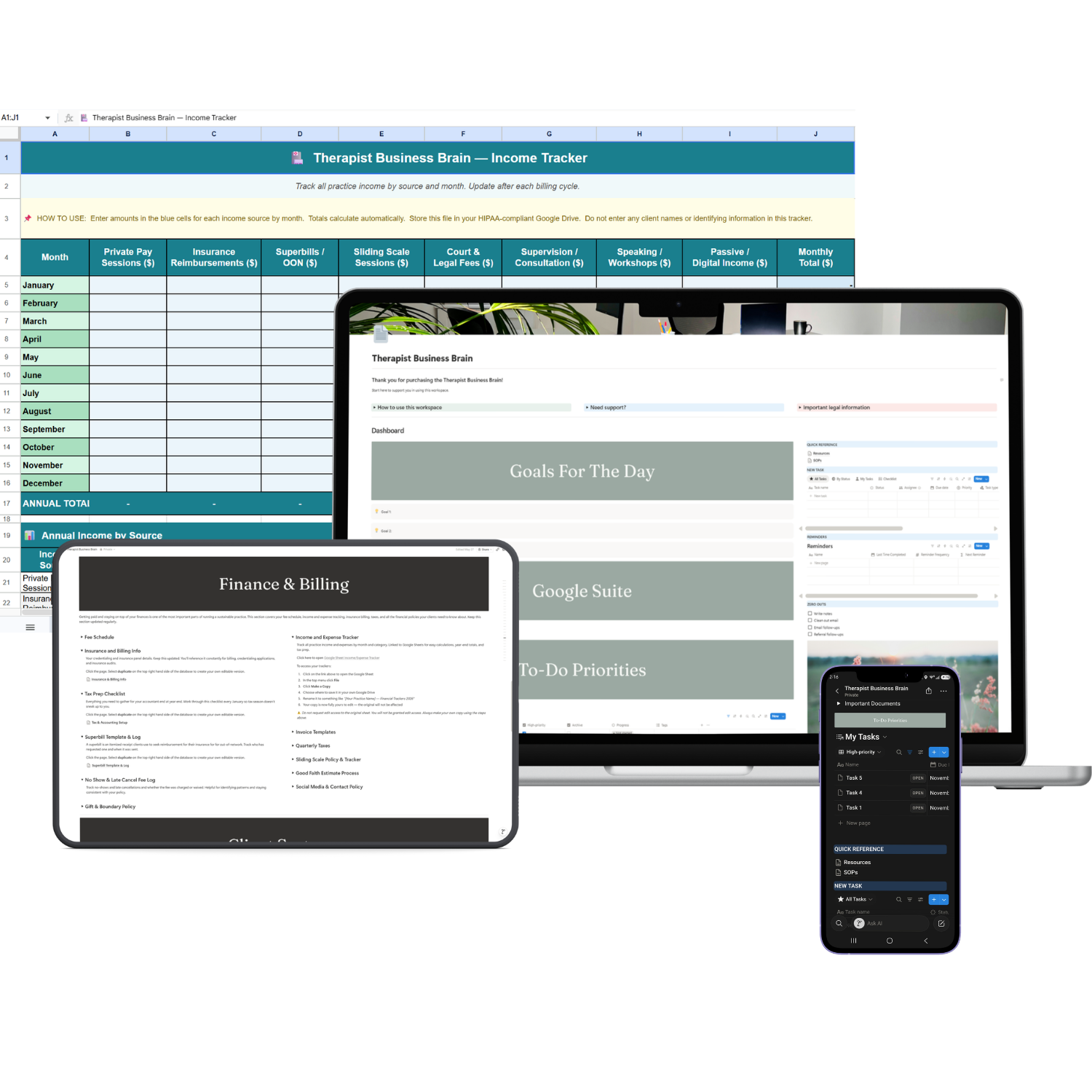
If you’d love one home base for the business side of your practice, take a look at the Therapist Business Brain. It’s a Notion workspace built for solo and group practices and it works on the free Notion plan. There are spaces to add this blog information too and your files so your business planning finally lives side by side. Like everything I make, it’s for business information only. Client details never go in Notion.