You finally got the email. A podcast host wants you as a guest next month, and they just need a headshot and a short bio by Friday.
Easy. Except then you start looking.
The headshot on your Psychology Today profile has a weird crop. The one on your website is tiny. Your logo lives in a Canva design somewhere, but you honestly can’t remember which account you made it in. And the bio? You’ve written it at least a dozen times. You just can’t find a single one of them.
So, you rewrite it again, at 10pm.
If that sounds familiar, this is for you. Most of us built our practices one urgent task at a time. You made the logo the week your website launched. You wrote your bio to finish a directory listing before a deadline. And the list goes on. Here’s the good news. You don’t need anything special or a marketing team. You need one folder you trust, with the right things in it. Let’s walk through what goes inside.
The 10 files your practice needs in one place
1, Your Logo (in more than one version).
A lot of us mad our logo in Canva and others with a professional. Either is completely fine. The problem is that most of us only ever download one version of it.
Aim to keep these on hand:
Your full color logo
A one color version in black
A white version for dark background or photos
Your icon or submark by itself for your Instagram profile photo or your website favicon
Save a PNG of each for everyday digital use. If you ever plan to print anything bigger than a business card, you’ll also want a vector file like an SVG or a print quality PDF. Vector files stay crisp at any size, so your logo won’t turn fuzzy on a workshop banner or a table display at a community health fair.
One tip: If your logo was made in Canva, open the original digital and download it fresh. Don’t save it off your website or Instagram. Both of those compress images, and you’ll lose quality every time.
2, Your Headshots
Your headshot shows up in more places than you probably realize. Directory profiles, your About page, guest podcast episodes, CE presentations, LinkedIn, or the local flyer a local church makes when you speak at their support group.
Keep the original high-resolution file from your photographer, along with a square crop and a horizontal crop. Add the year it was taken to the file name. That way, when you notice your photo is old enough to have it’s own license, you’ll know it’s time for an update.
3. You Bio, in three lengths
This is the one people ask for the most, and the one most of us rewrite from scratch every single time.
Write it once in three sizes:
One sentence. Who you are and who you help. Perfect for event programs and podcast intros.
Short bio. About 75 to 100 words for directories and speaker pages.
Long bio. Your full About page story, with your background and why you do this work.
Keep a third-person version of each, too. Hosts and event organizers almost always want third person, and converting it on deadlines is exactly how typos sneak in.
While you’re at it, decide how your credentials appear and stick to it everywhere. If it’s “LCSW-S” on your website, it shouldn’t be spelled out on Psychology Today and abbreviated directly on Google.
4, Your Credentials Sheet
This one is unique to us, and it saves so much time. Make a simple document with:
Your license type and number of each state where you practice
Your NPI Number
Specialty certification or advanced trainings, with the dates you earned them and when they renew
Professional memberships
Directories ask for this. Referral partners ask for this. CE organizations ask for this. Having it in one document means you stop logging into your licensing board’s website just to copy your own number.
While you’re building it, look up your state board’s rules on advertising. Some boards have specific requirements for how your license appears on marketing materials. Your credentials sheet is a great place to note what your board expects.
Keep this file limited to what’s already public like your license and NPI numbers. Your tax ID and anything personal belong somewhere more secure.
5. Your Practice Description
This is a paragraph you paste into every directory listing and every “tell me about your practice” form. Write an approved version and save it.
A solid practice description covers who you work with and what you help them with. It explains how you work, whether that’s telehealth or in person, and which states you can see clients in. It also includes a clear line about fees, insurance or superbills, so people self-select before they call.
Add a short referral partner version too. A physician or a school counselor doesn’t need your whole philosophy. They need to know exactly who to send you, in two or three sentences.
When your website says the same thing your directory listings say, potential clients feel that consistency. It builds trust before they ever book a consult.
6. Your Colors and Fonts
“My sage green” isn’t specific enough. There are a hundred sage greens, and Canva will happily give you a slightly different one every time.
Write down the HEX code for each brand color. That six-character code (like #9aa9a2) is what Squarespace and Canva both use. If you ever print with a professional printer, ask them for the matching CMYK values and add those as well.
For fonts, note your heading font and your body font. If the font on your Squarespace site isn’t available in Canva or Google Docs, note the closest match you use as a substitute. Future you will be grateful.
7. A One-Page Brand Guide
This sounds bigger than it is. You’re not making a 40-page corporate manual. You’re making one page that shows your visual pieces together, plus a few notes about your voice.
Voice notes are the part therapists tend to skip, and they matter. Are you warm and conversational? Calm and Clinical? Are there words you avoid like “fix” or “cure”? Write it down.
This page becomes priceless the first time you hire a virtual assistant or a web designer, or when a CE organization offers to design your workshop flyer. You hand them one page instead of answering 15 emails.
8. Your Photos (and where they came from)
Gather the images you actually use like your office, waiting room, virtual setup, etc. The cozy lifestyle shots that make your website feel like you.
Then do a step almost nobody does, note where each photo came from. Was it your photographer, Pexels, Unsplash, Canva, etc. Each source has its own license terms, and it anyone ever asks, you’ll want to know.
And as always, keep client privacy front and center. No photos of your office with a client file, or your schedule visible in the background. It happens more than you’d think.
9. Your Templates and Referral Materials
Every time you recreate something you’ve already made, you lose an hour you could have spent on your caseload or your couch.
Save the editable versions of anything you reuse. That might mean Canva templates for social posts or the flyer for your group program. Business cards count. So does a referral one pager you leave at a physician’s officer and schools.
For anything you print, keep both the editable design and a print-ready PDF. When your phone number or office address changes, you’ll update one file instead of starting over.
10. Your Professional Proof
Here’s where our version of this list looks very different from a typical small business.
Most businesses are told to collect customer testimonials. For therapists, that’s a much more complicated conversation. The NASW Code of Ethics (4.07b) prohibits social workers from soliciting testimonials from current client or anything vulnerable to undue influence. The ACA Code (C.3.b) and the APA Ethics Code (5.05) have similar standards, and any state boards add their own rules. Check your own code and your board before using anything client-generated in your marketing.
So what does in this folder instead? The proof of your professional work:
Podcast episodes you’ve been a guest on
Articles you’ve written or been quoted in
Workshops and CE courses you’ve taught
Certifications and awards
Endorsements from colleagues and referral partners, with their written permission
Save the link and dated screenshot for each. Websites change and podcast episodes disappear, so the screenshot is your backup.
One more note on online reviews. Clients sometimes leave Google reviews on their own. Don’t screenshot them into your marketing and be very careful about responding since even a polite reply can confirm someone was your client.
Where to keep all of it
For most solo practices, Google Drive is the easiest home. You probably already use it, and it’s simple to share a single folder with a designer or VA without giving them access to anything else.
Create one main folder called Practice Brand Files. Inside it, number your subfolders so they always stay in order;
01 Logo
02 Headshots
03 Bios
04 Credentials
05 Practice Description
06 Colors and Fonts
07 Brand Guide
08 Photos and Licenses
09 Templates and Print
10 Professional Proof
99 Archive
That last one matters so when you update your headshot or your logo, move the old version into Archive instead of leaving it beside the new one. If two files look almost identical, someone will eventually grab the wrong one. Usually that someone is you.
Keep this folder completely separate from anything clinical. If you use Google Workspace with a signed BAA for notes or intake forms, your brand folder should live far way from those folders, with it’s own sharing settings. Not one client name or initials should ever end up in a file inside it. When you share it with a designer, set their access to Viewer so nobody can accidently overwrite your master files.
If you use Canva, set up Brand Kit with your logos and colors so they’re one click away when you design. Then put a simple doc in your Drive folder with links to your Canva templates. That way, everything starts from one place even when the actual designs live somewhere else.
Last step, make a short list of every place your bio and headshot appear. Think Psychology Today and your website, plus every other directory you’ve joined over the years. Save it on your 03 Bios folder. The next time you update your photo or earn a new certification, you’ll know exactly where to go instead of discovering a 2019 version of yourself on some directory you forgot you joined.
Want an easier way to organize your practice?
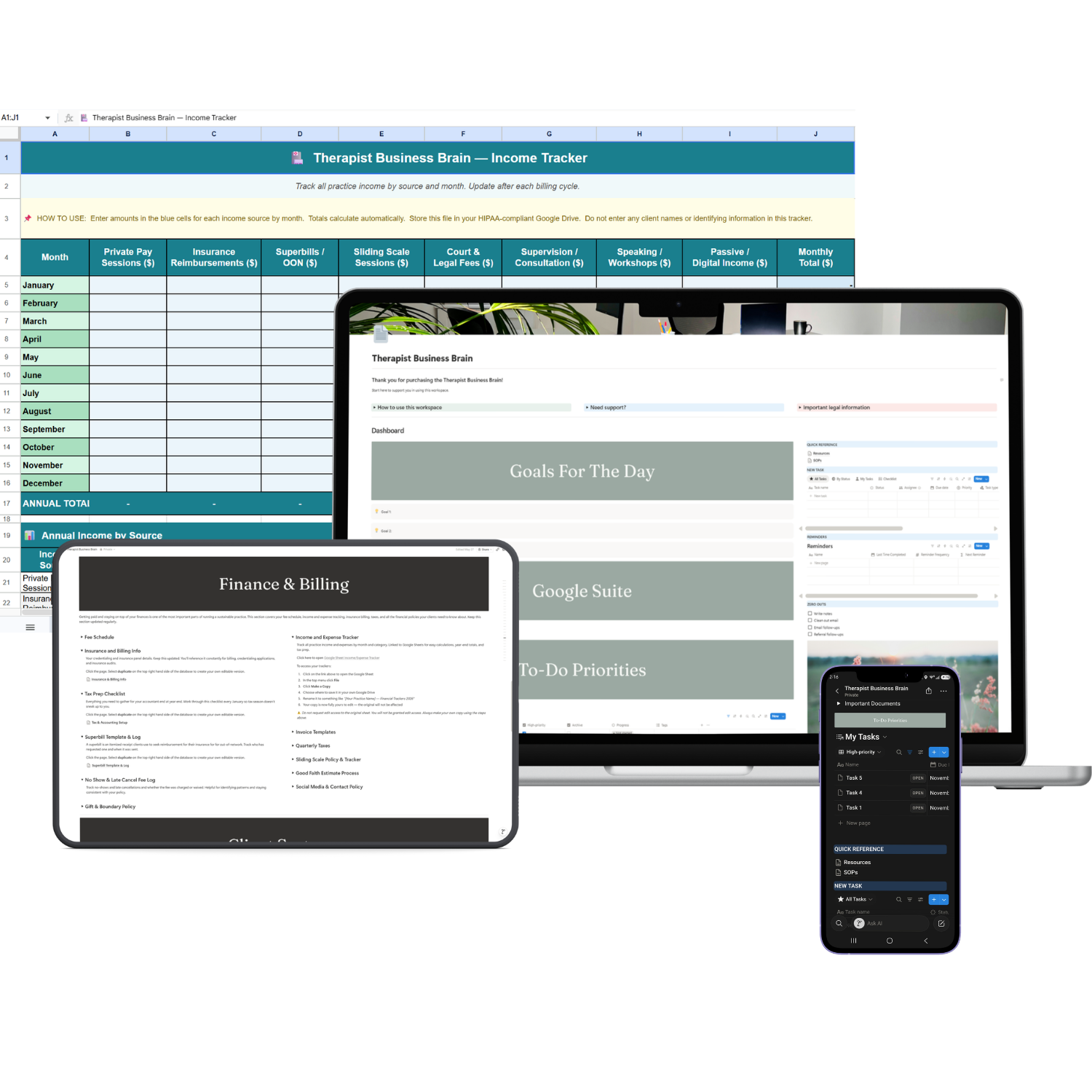
If you’d love one home base for the business side of your practice, take a look at the Therapist Business Brain. It’s a Notion workspace built for solo and group practices and it works on the free Notion plan. There are spaces to add this blog information too and your files so your business planning finally lives side by side. Like everything I make, it’s for business information only. Client details never go in Notion.